
See also:
Morocco Overland Routes
Updates and Corrections
Morocco Maps
Time for my Tablet: Samsung Tab + Gaia GPS vs Garmin Montana
Michelin 742 Morocco (2024) map review
Map review: Reise Know-How Morocco 1:1m (2023)

Fyi, I do this all on a desktop computer or a laptop at a pinch. It may well be possible on a mouseless smartphone or tablet but would drive me nuts.
Also, note this is a reliable but labour intensive procedure which may not align with modern ‘I-want-it-all-I-want-it-now’ sensibilities.
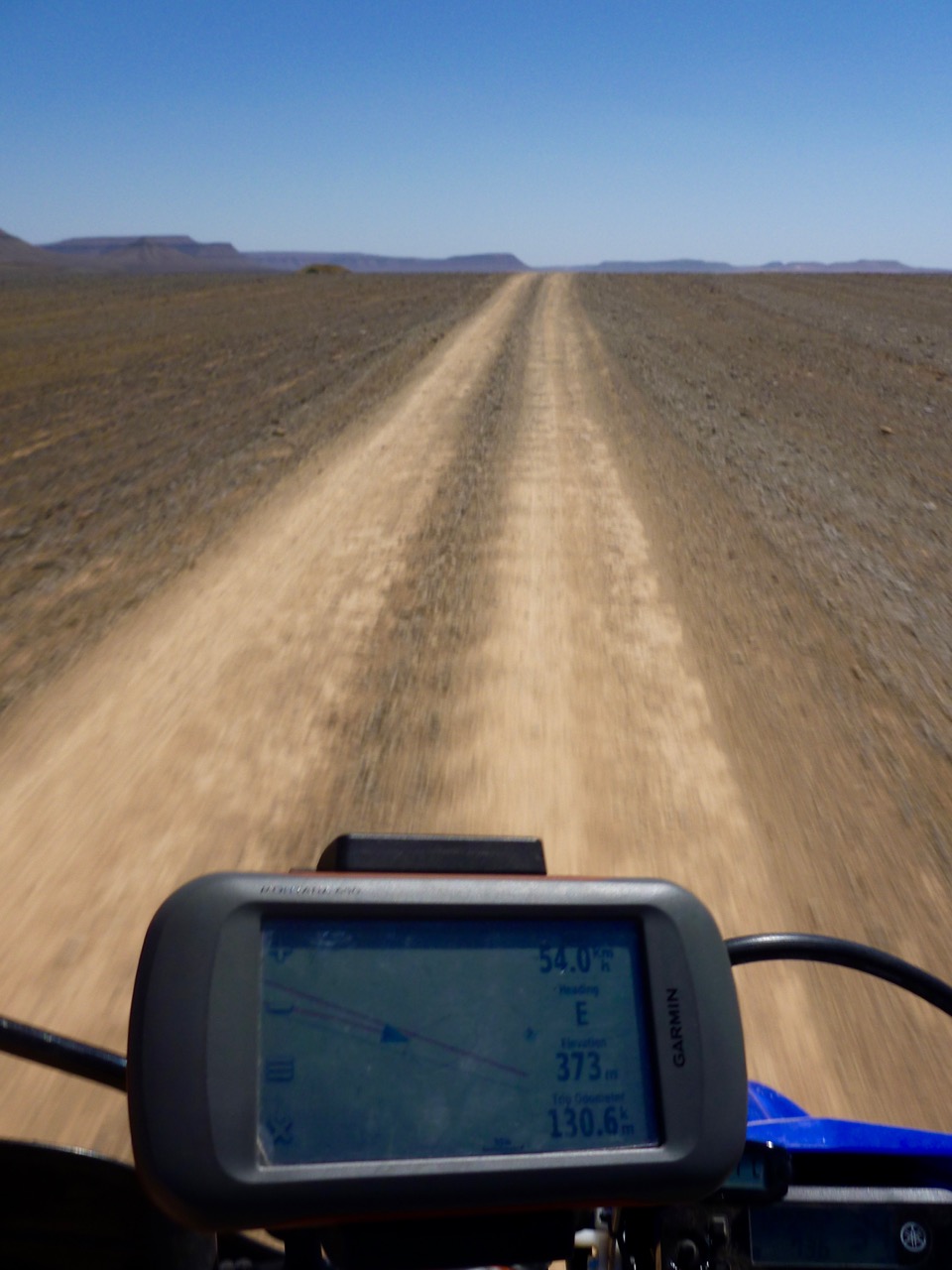
Particularly in the desert, these days aerial or satellite imagery from Google Maps and ESRI (Bing, etc) is so good you can spot passing vehicles and whether a road is sealed, a car track or even a little used donkey trail. This is the sort of age-sensitive information you won’t always get from maps, digital or printed.
When planning new off-road routes, I find tracing the probable orientation in advance helpful for all the obvious reasons. It also provides a good preview of the area and what features I might come across (mineral mines; climbs, gorges, junctions).
Using Google satellite mapping services, tracklogs can be drawn, saved and exported in two ways:
Using Google Earth Pro – no Google account needed but your annotated maps won’t be automatically saved online/in the cloud. I’ve drawn tracklogs using this method in Moroccan hotel rooms prior to setting off along remote tracks (above left), benefitting from the reassurance of knowing a track exists and where the key junctions are.
See the images and captions below for more.
Note: this is a reliable but labour intensive way of doing it but does not align with modern ‘I-want-it-all-and-I-want-it-now’ sensibilities. You can trace a route much more quickly off something like Garmin Basecamp using the ‘Create a Route’ tool. It takes seconds. But afaik Basecamp doesn’t have an all important satellite layer to verify against an actual track on the ground. Somethng like the subscription Gaia app can do this, but you have to pay.
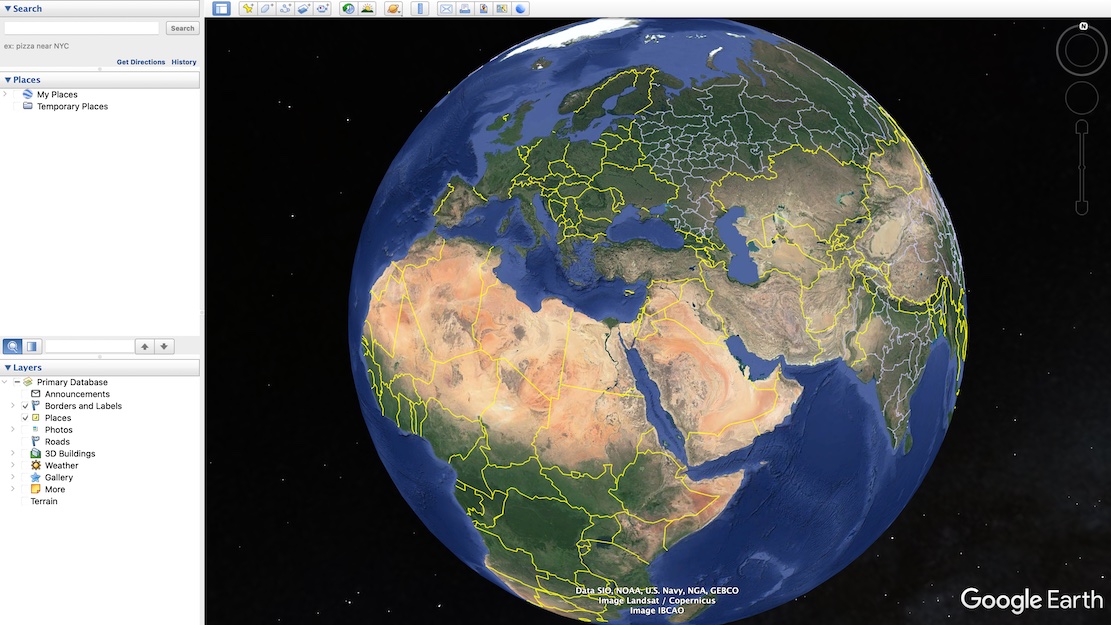
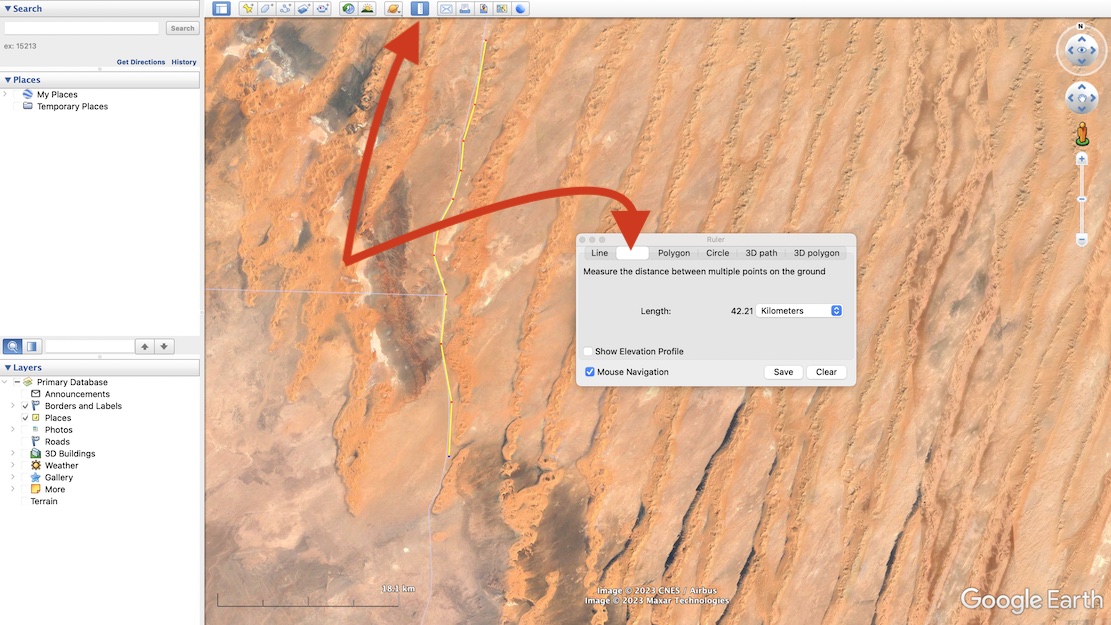
Now choose the Ruler in the top tool bar and then select Path (blanked out above when selected).
With your mouse trace a path click by click, point by point along the track you want along the ground.
The extent of precision is up to you. When you’ve finished, Save.
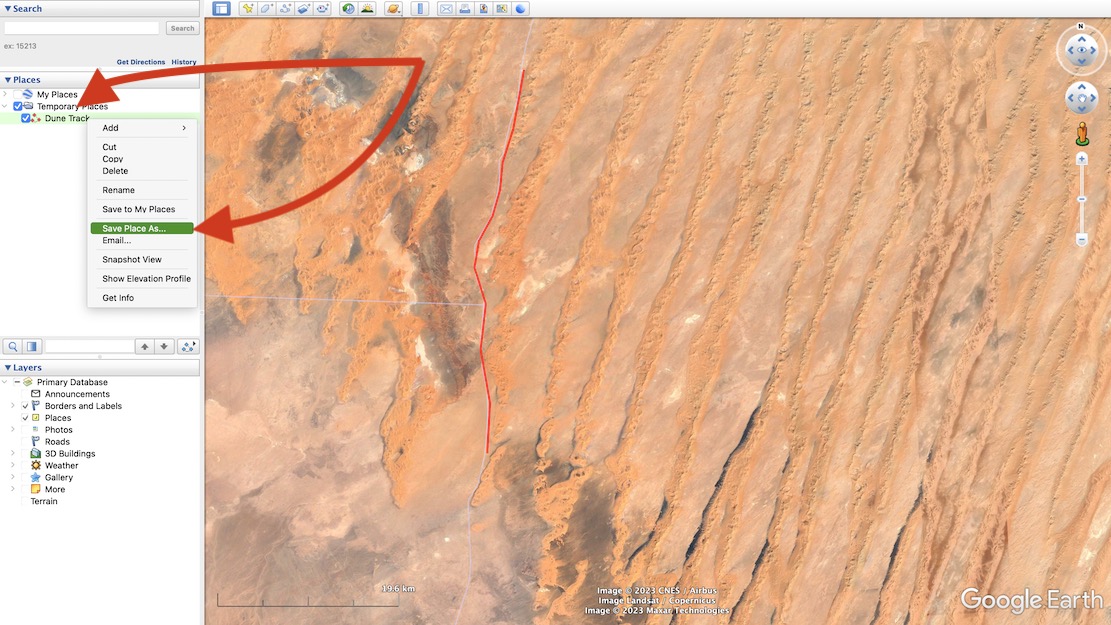
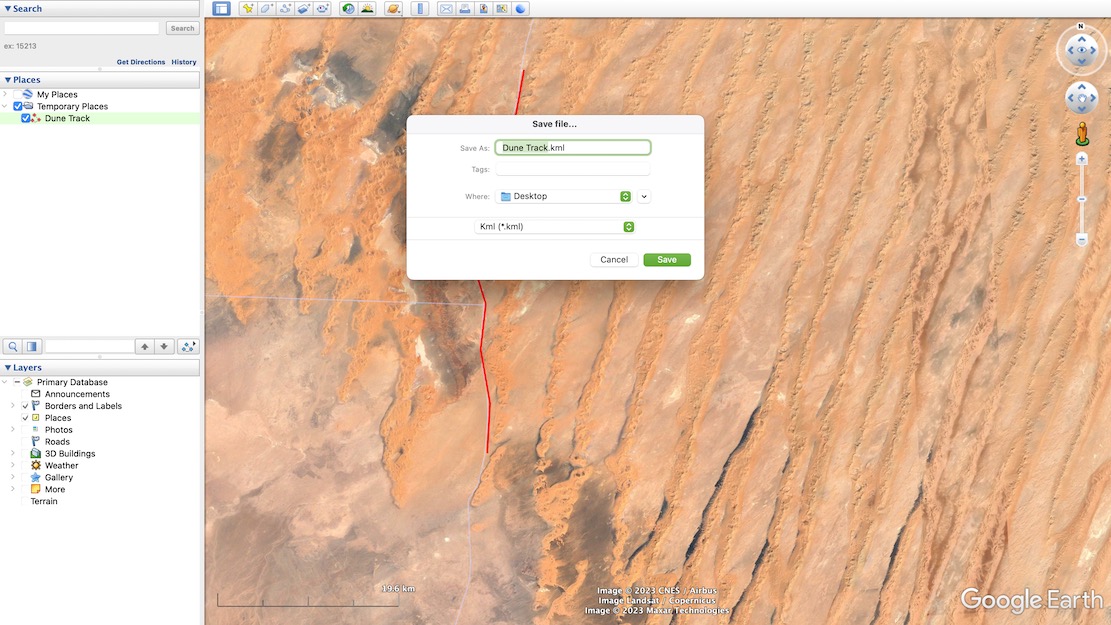
You may now need to convert the Google .kml file format to .gpx to import into Garmin satnavs and smartphone/phablet nav apps.
Garmin BaseCamp (free) can do it, or use also free online converter like GPS Visualizer.
Import the .gpx into your device and you can now set off to navigate your MYO tracklog.
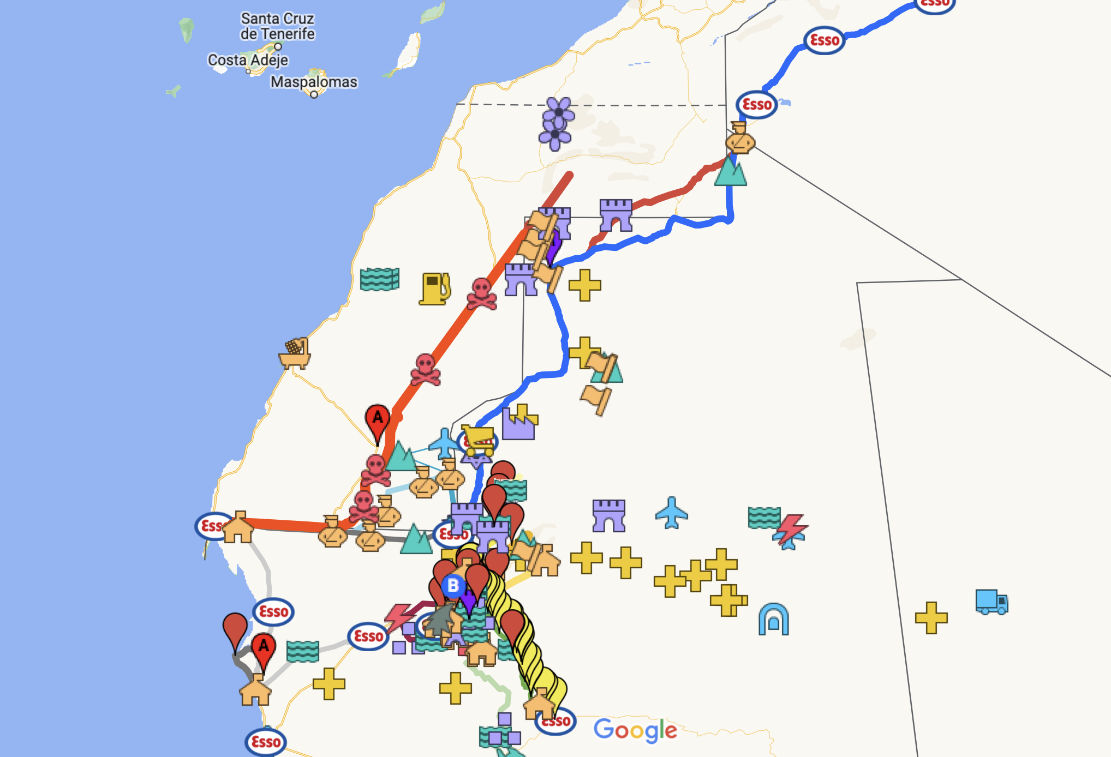
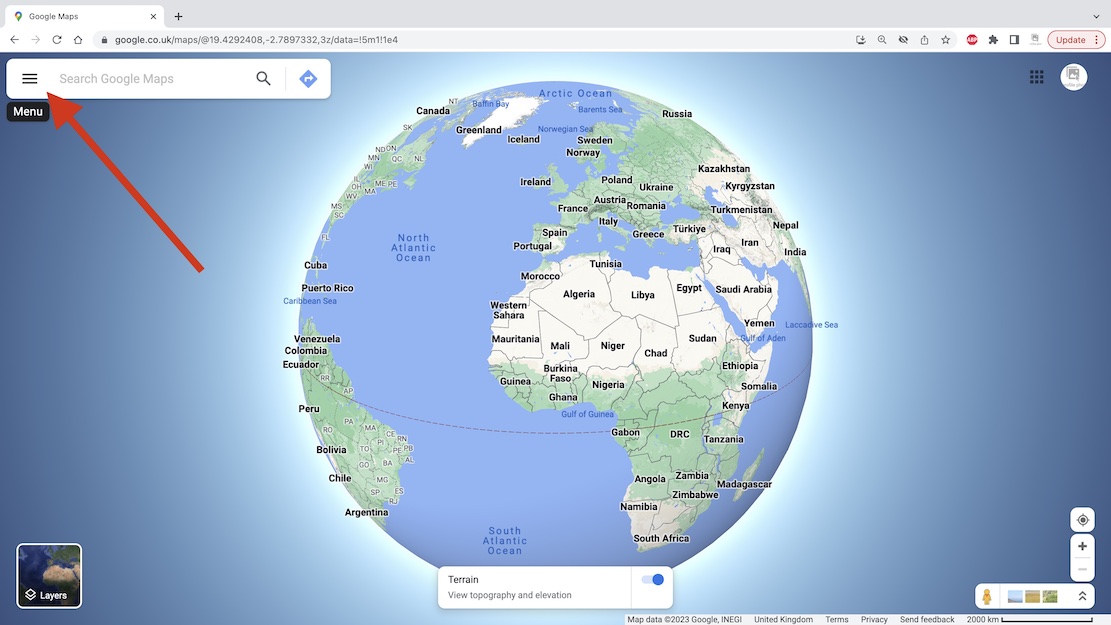
With a Google account (…@gmail, etc) you can save your routes on a Google ‘My Map‘ as has been done for the Trans Morocco Trail. It can have as much detail (tracklogs and waypoints) as you like, but Google ‘My Maps‘ are limited to about 10 layers. Layers are a bit like folders (with infinite capacity) and sometimes you have to shift tracklogs or waypoints into a pre-existing layer to free up a new layer so you can import more.
This map can be shared or exported but will be saved online and be viewable/editable wherever you have internet.
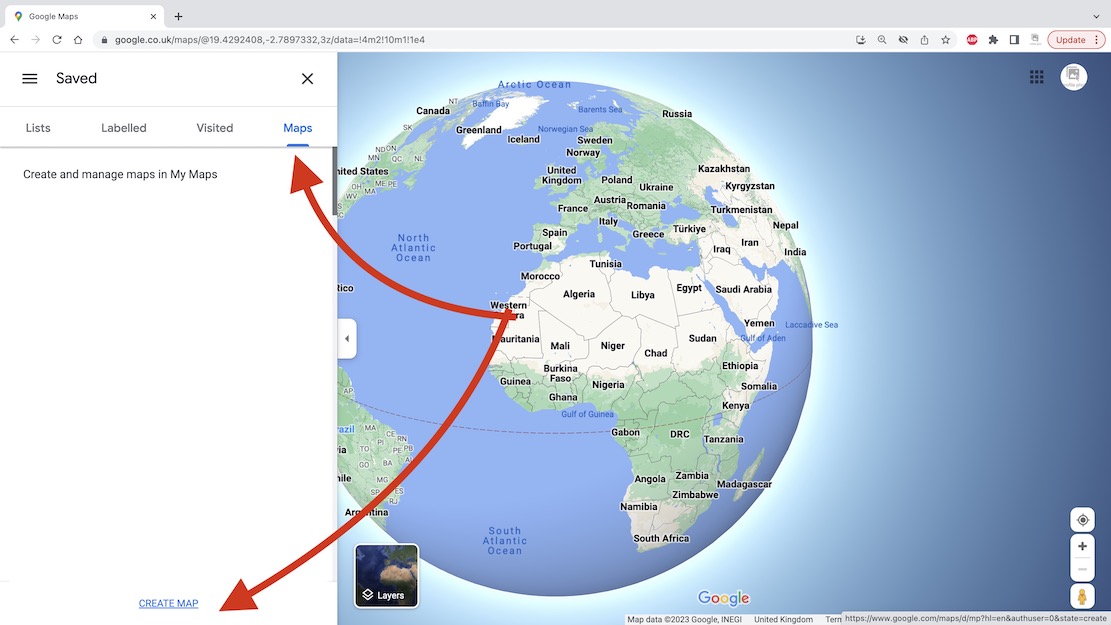
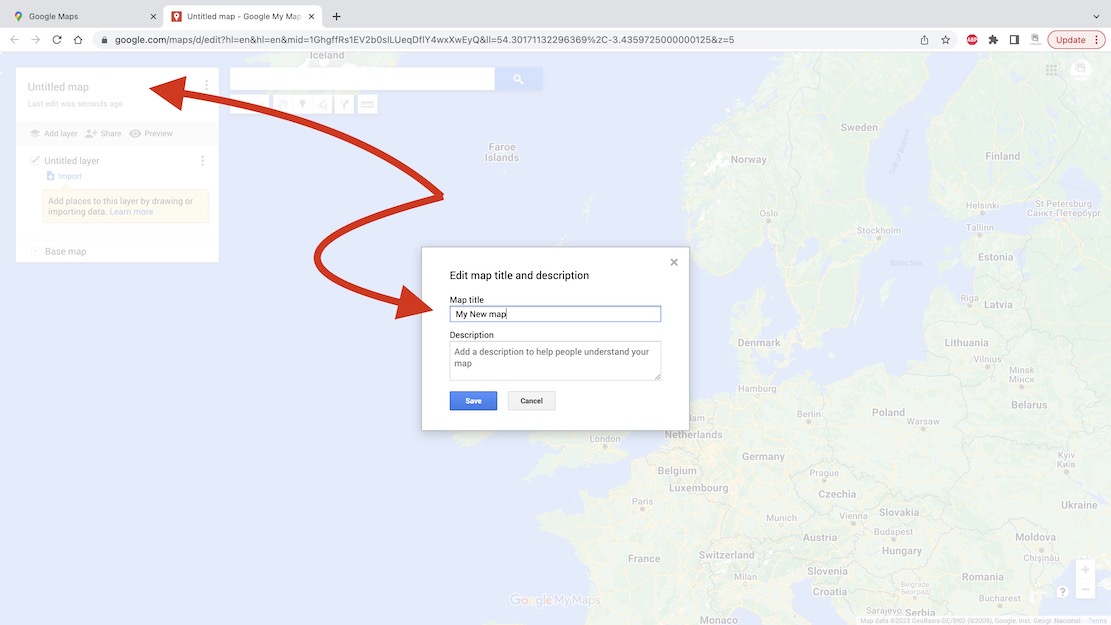
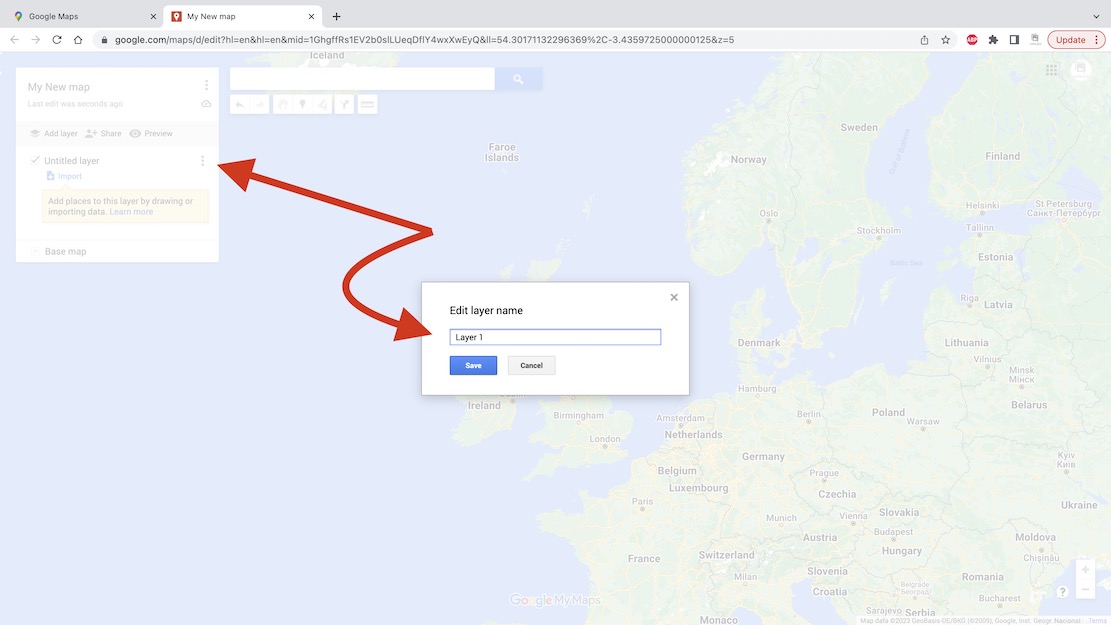
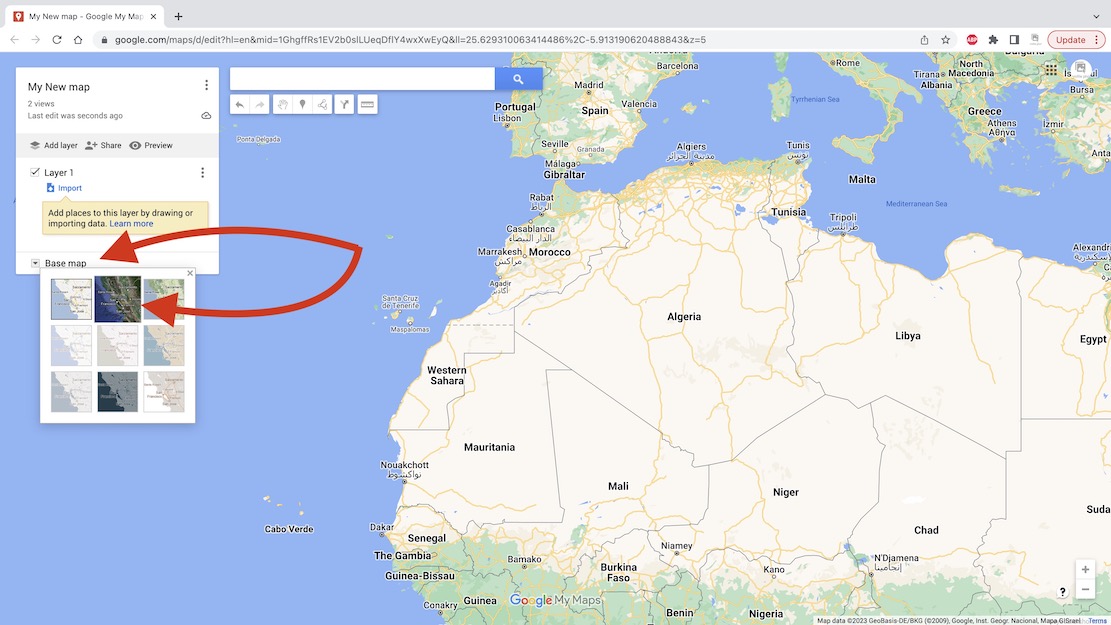
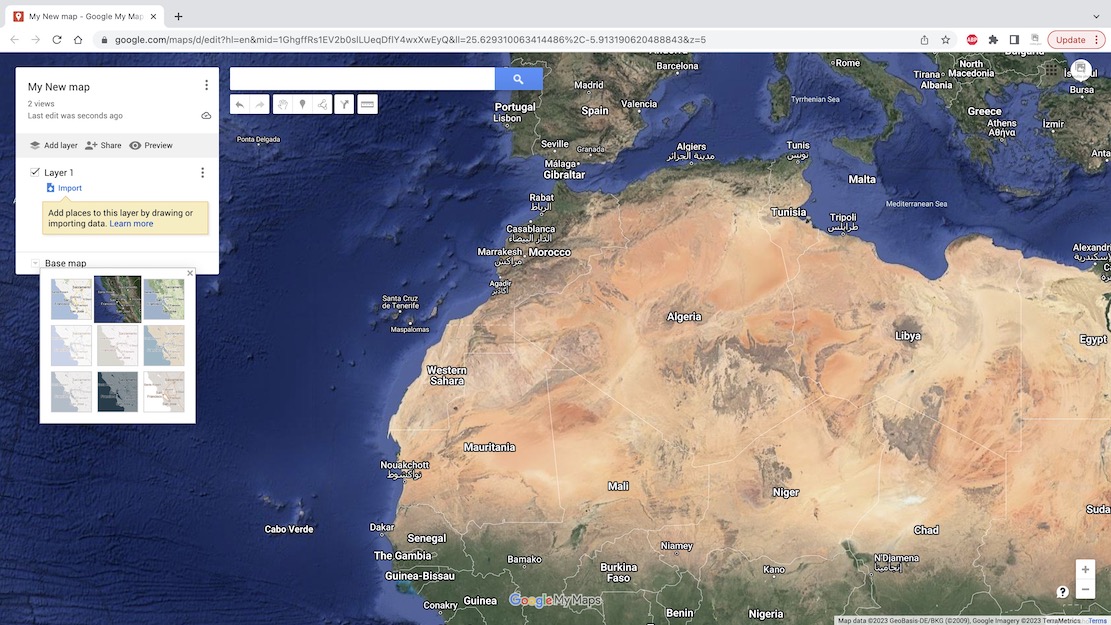
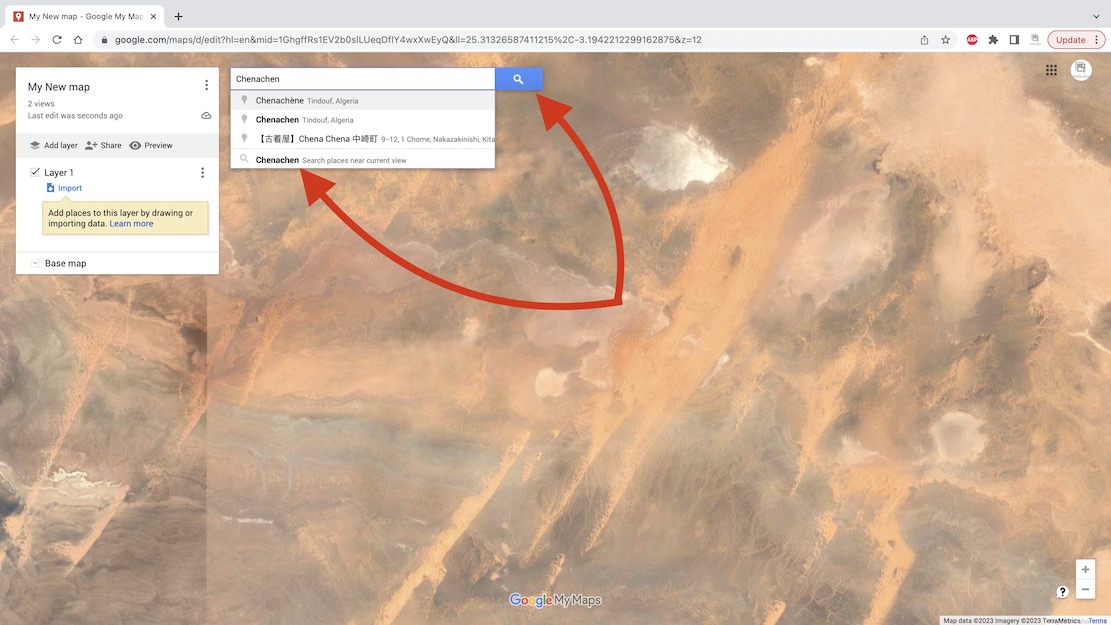
I chose Chenachen base, as close as I’m ever likely to get to this place.
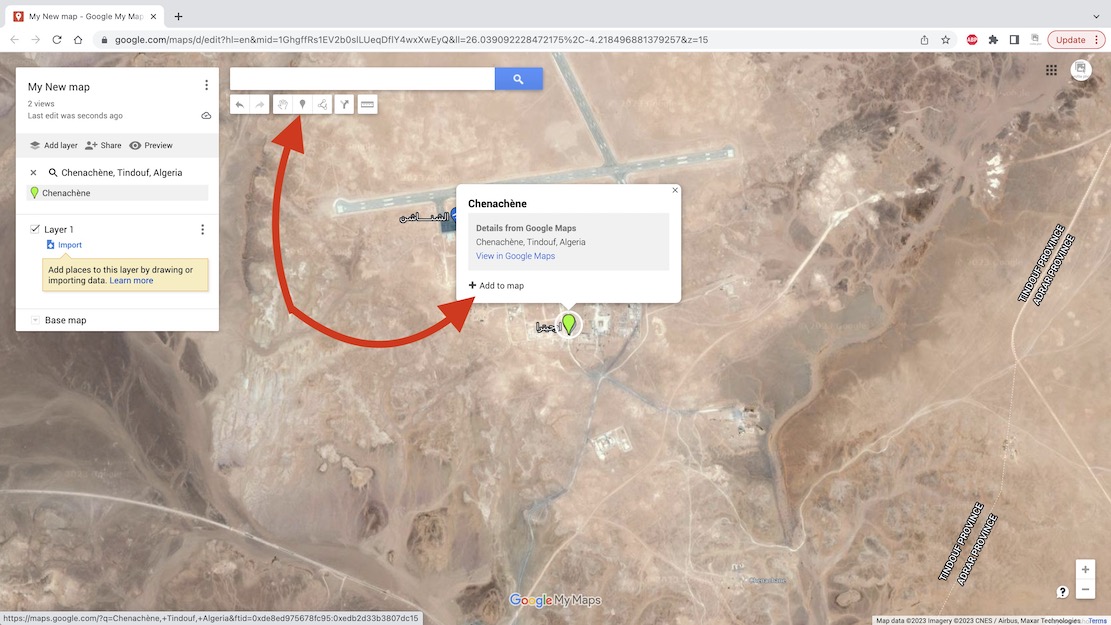
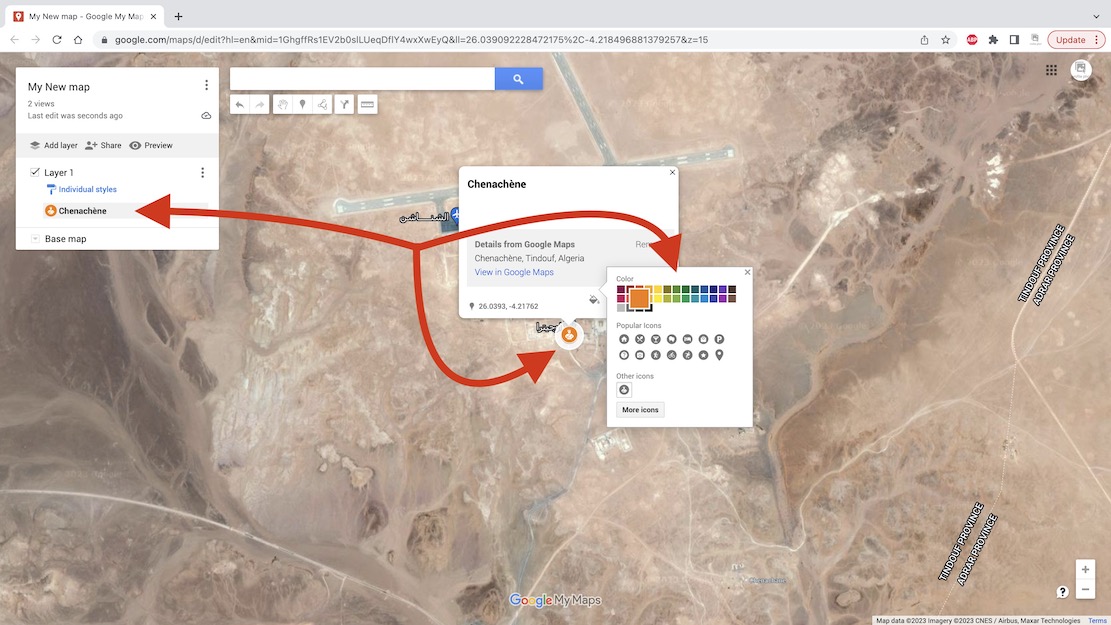
You can also add and name a waypoint anywhere using the toolbar above (top arrow).
Useful for important junctions, I find.
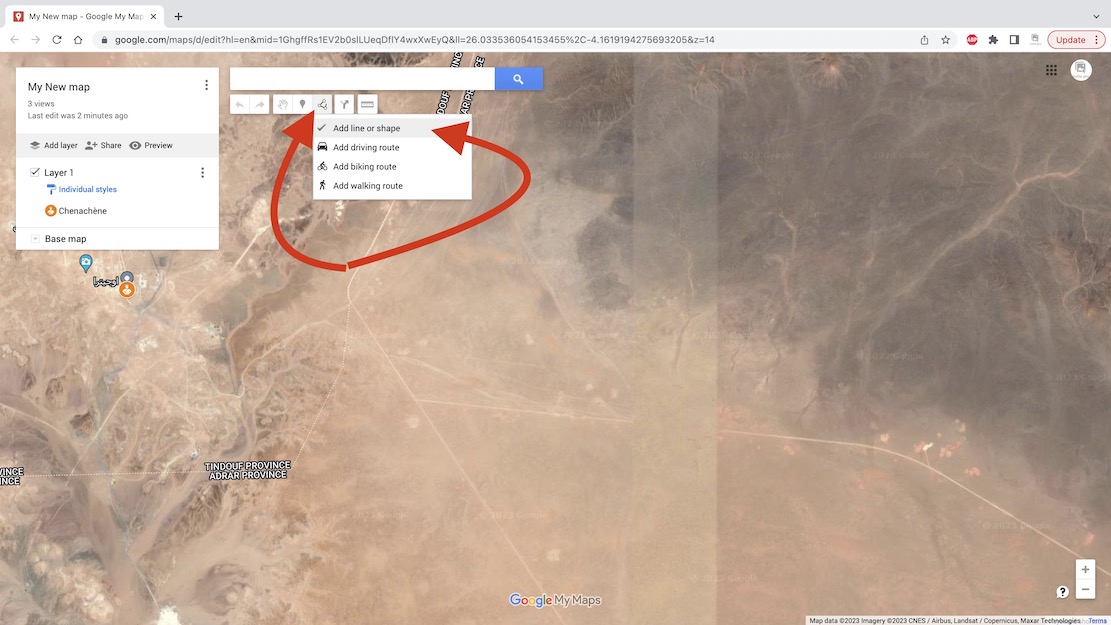
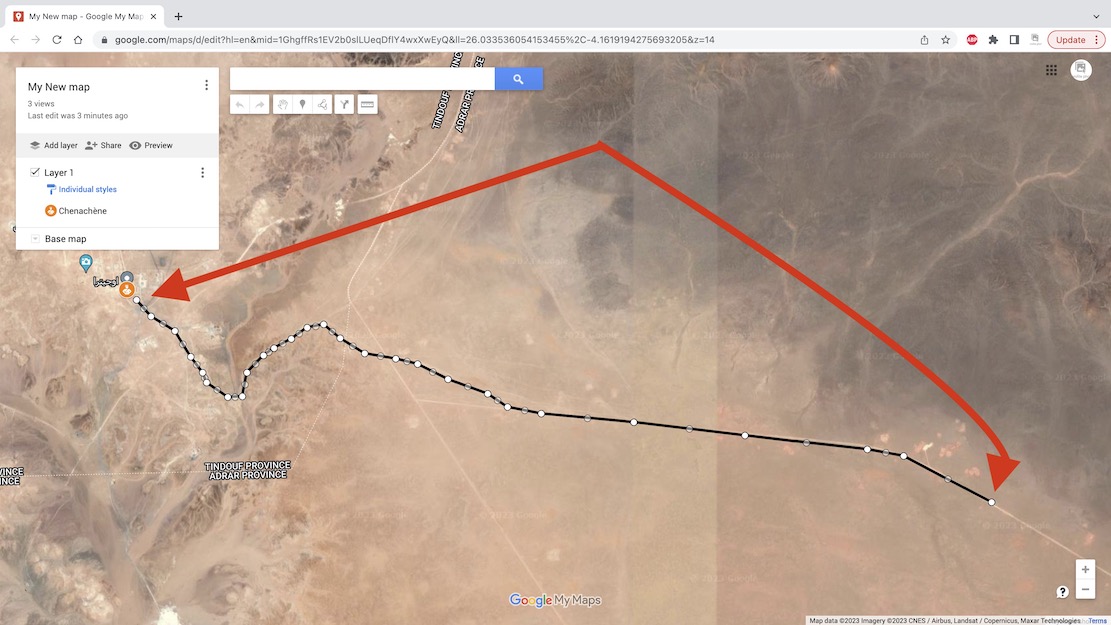
Unless you are going cross-country there will be a clear track on the ground.
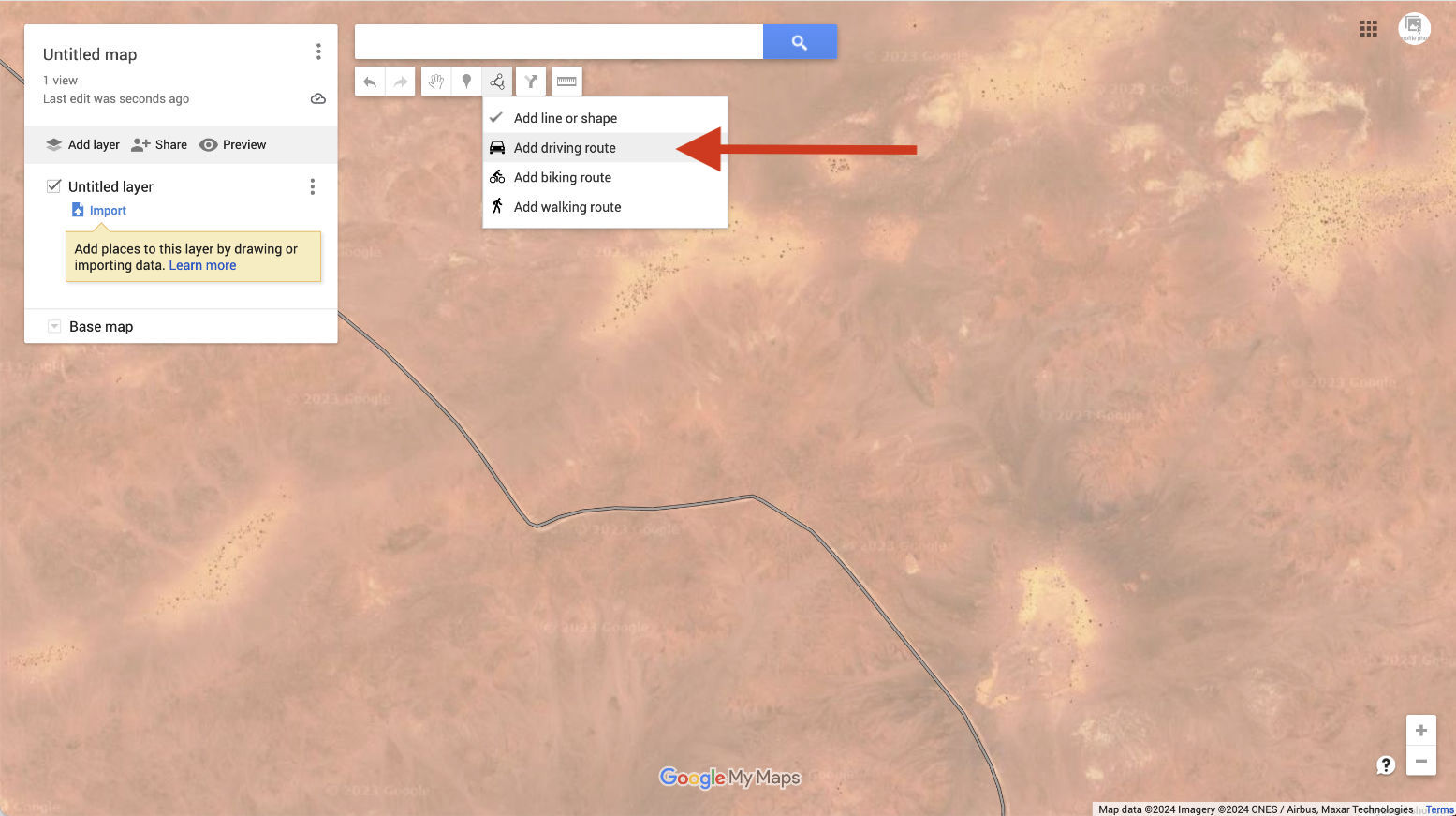
You can automatically trace it, up to a point.
This method is much less tedious but hard to control.
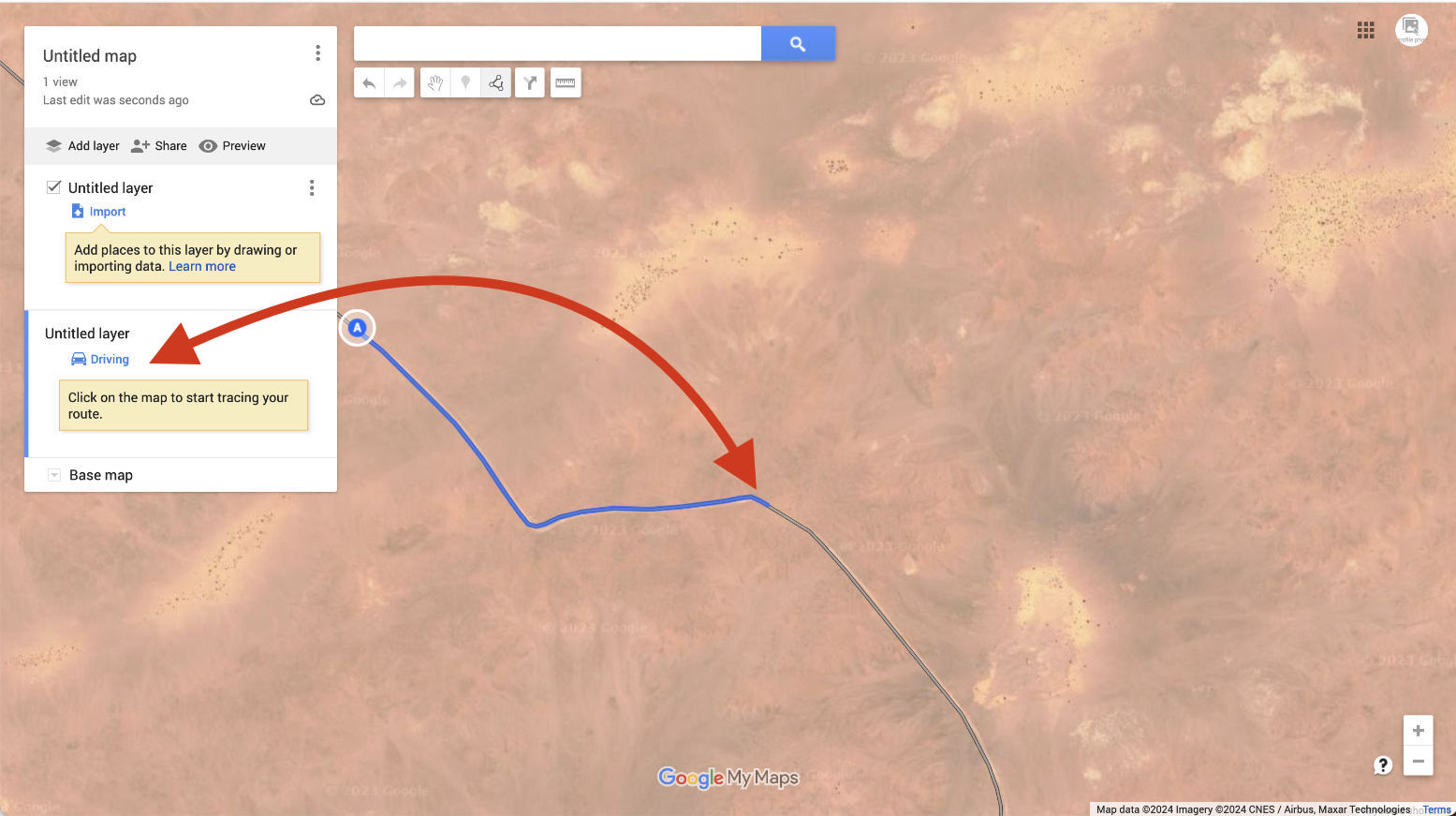
A new ‘Driving’ layer (not ‘Import’) will be created.
Now follow the track with the cursor; it automatically highlights it in blue and keeps going as
long as it lasts. The problem is, the track may not go the way you are.
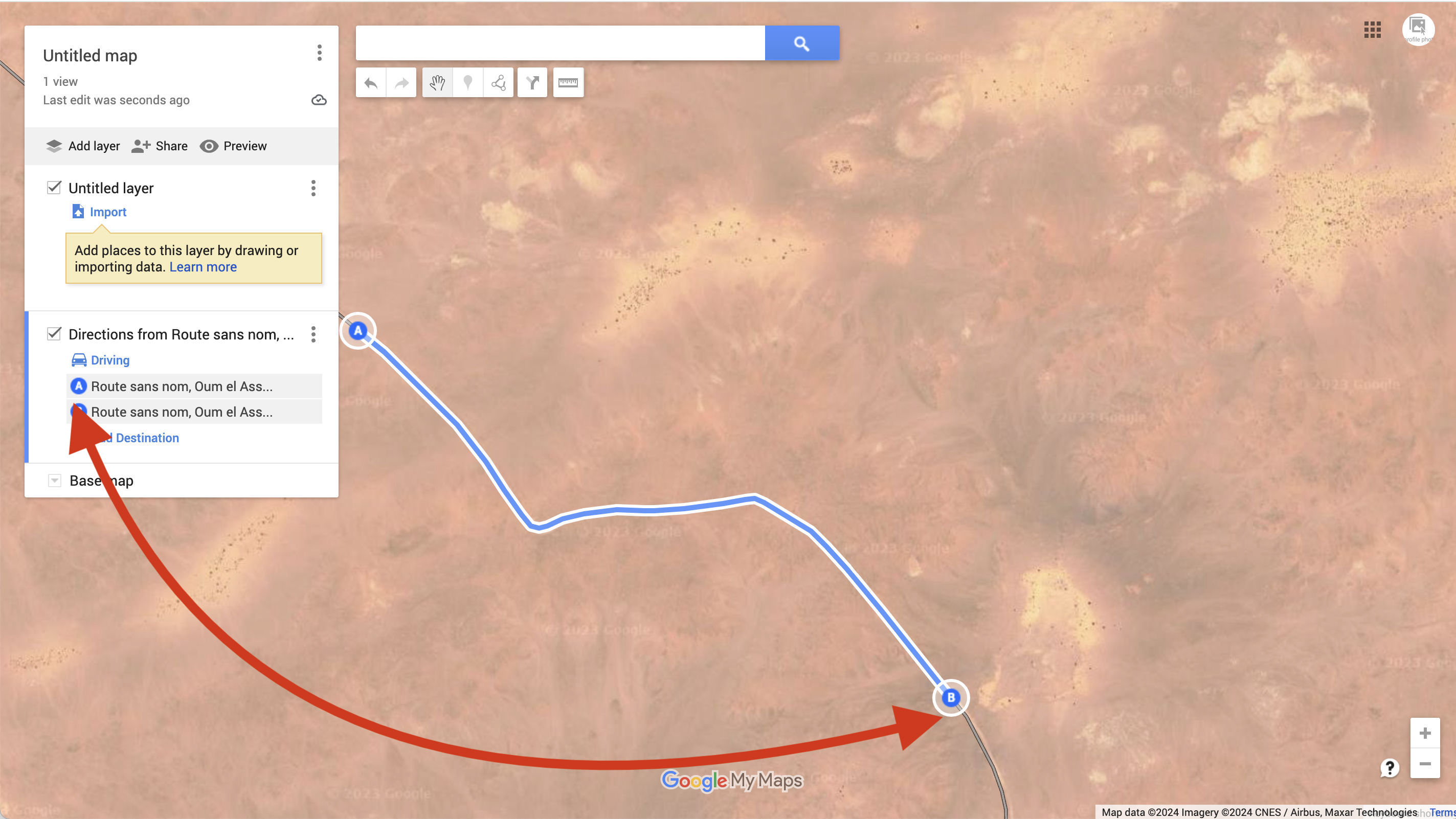
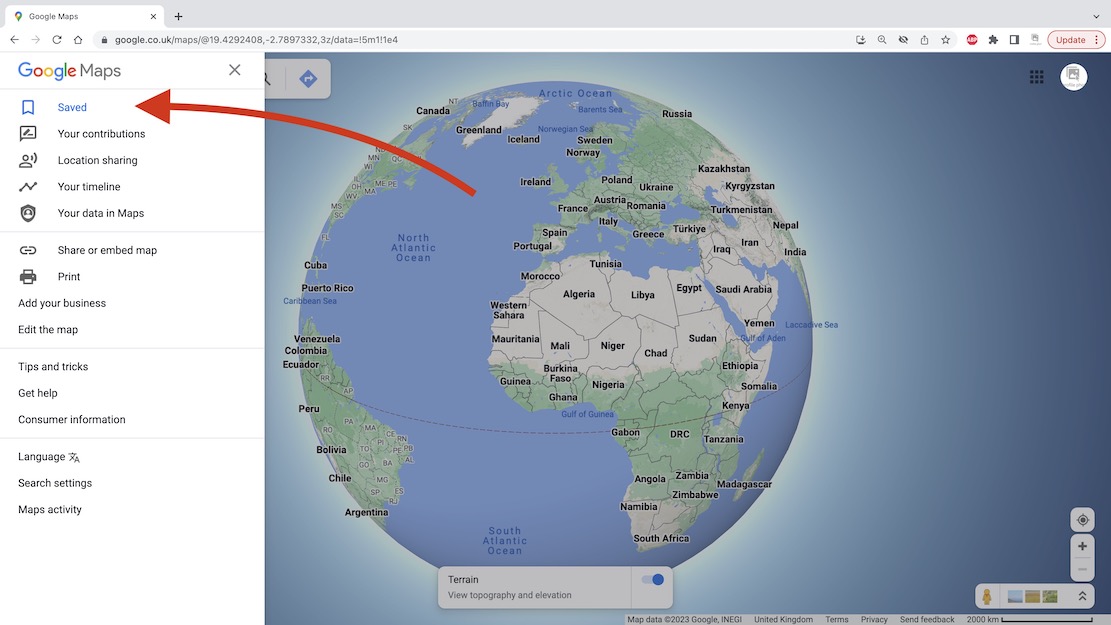
saved as whatever Google calls it: ‘route sans nom’ in this case.
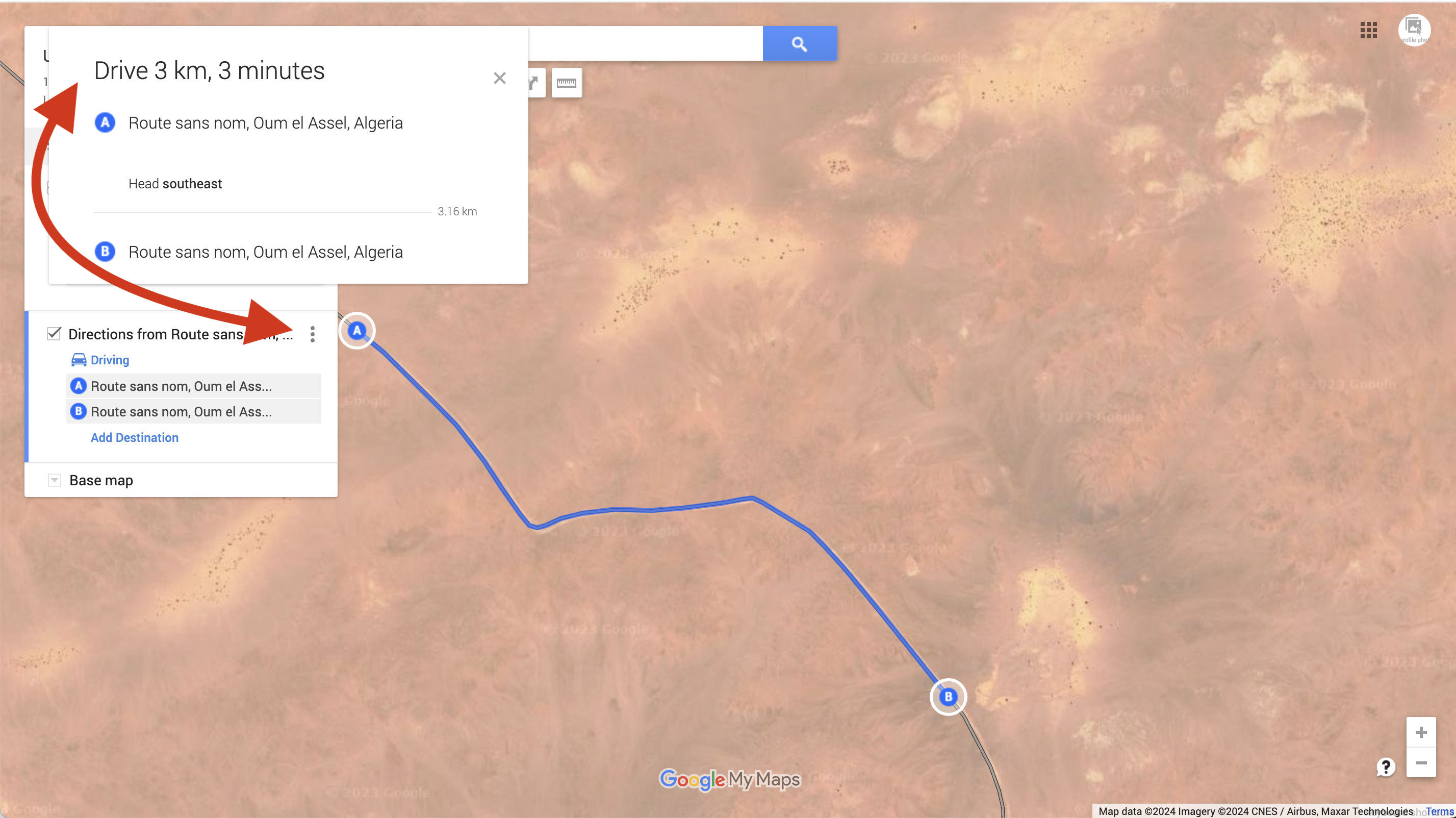
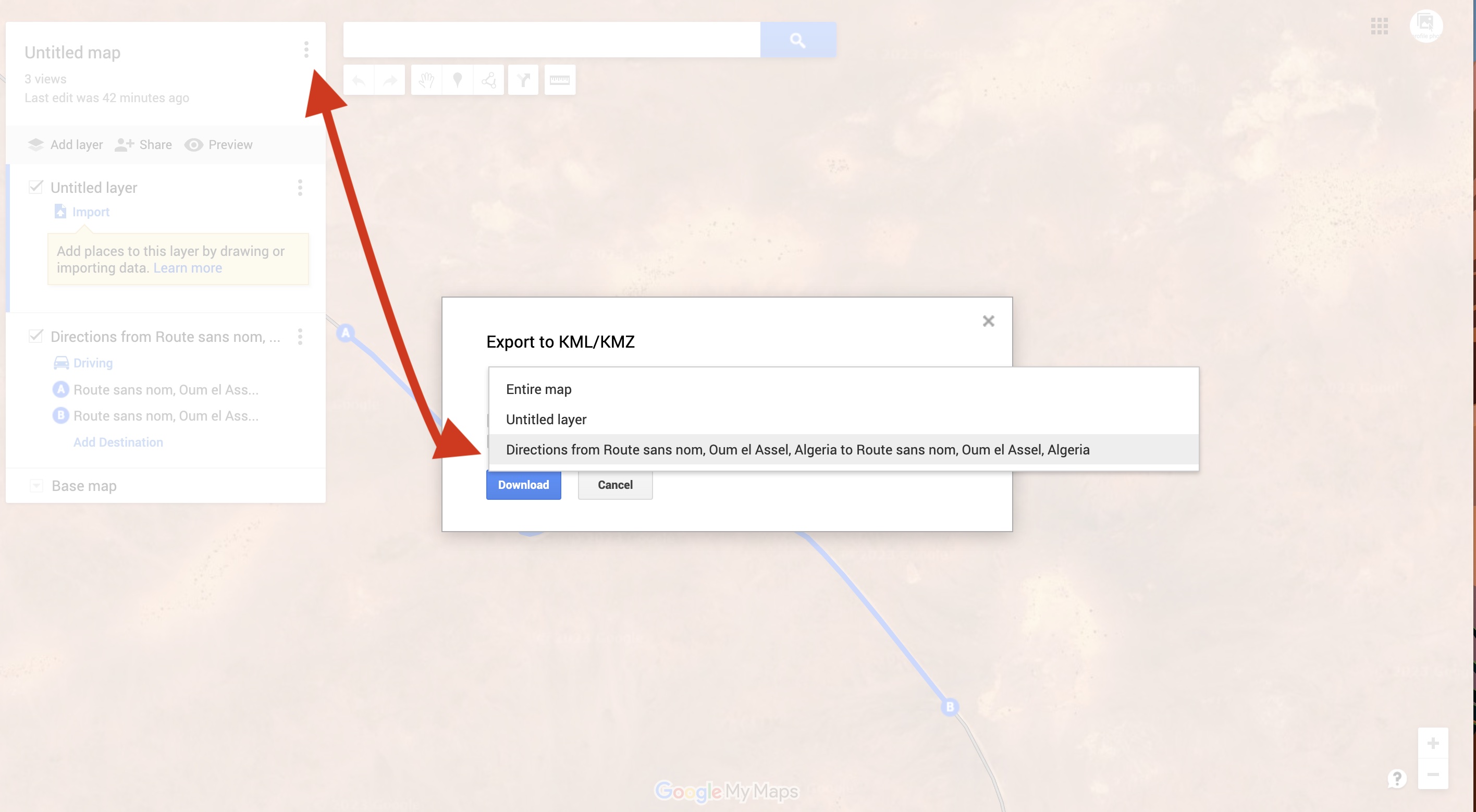
alongside the map’s name at the top. Choose the layer you want: ‘Directions from Route sans…
and it will save as a Google format kml file which you can then convert to .gpx to be read by
a GPS or non Google mapping.
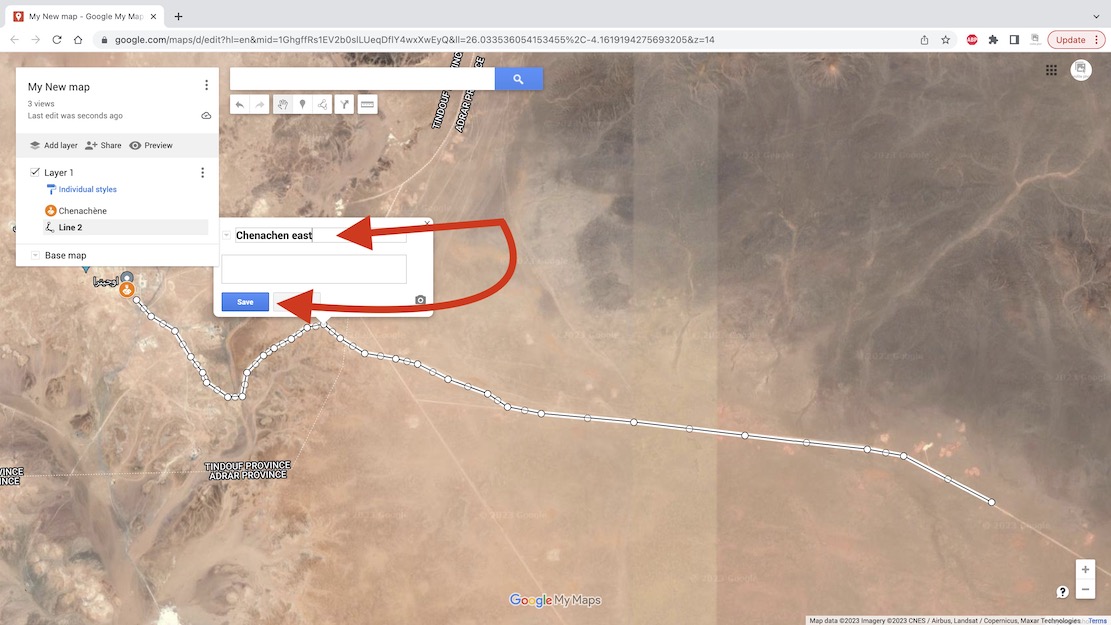
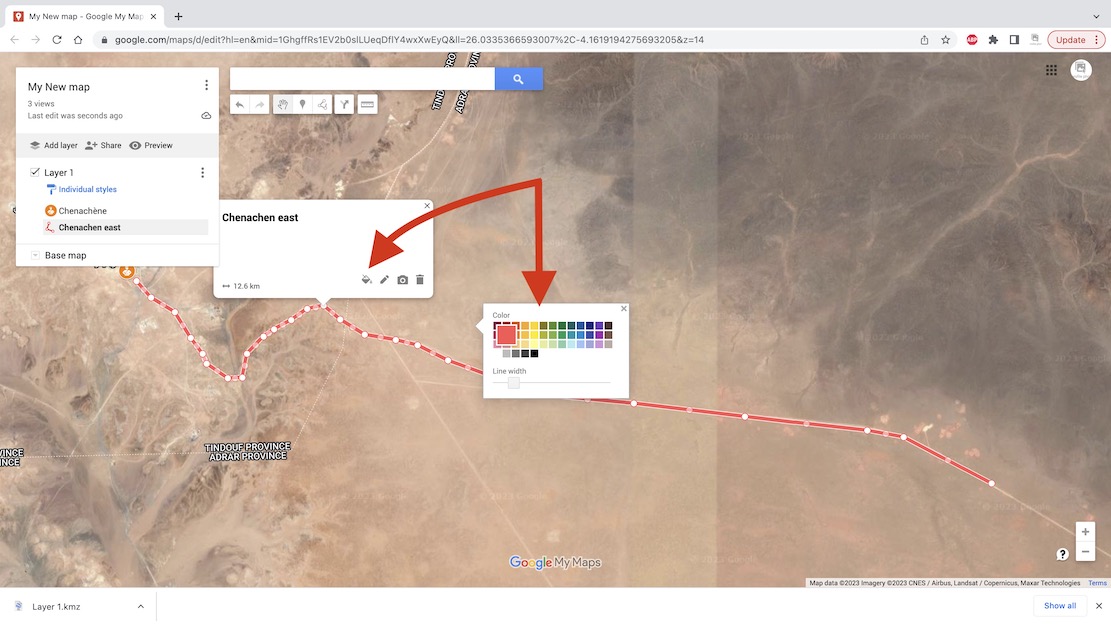
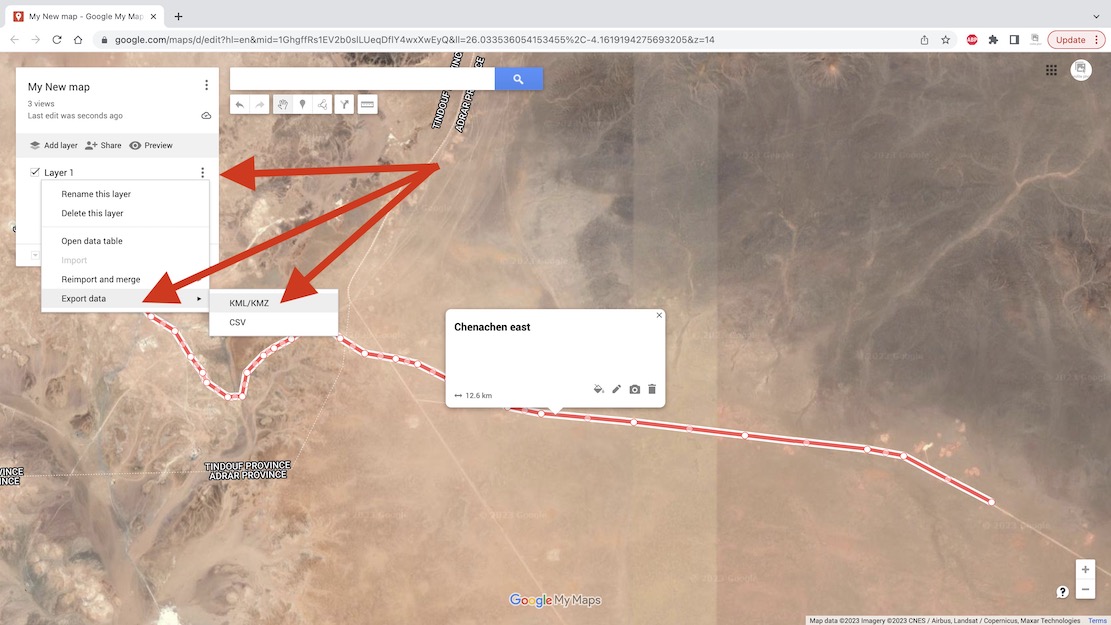
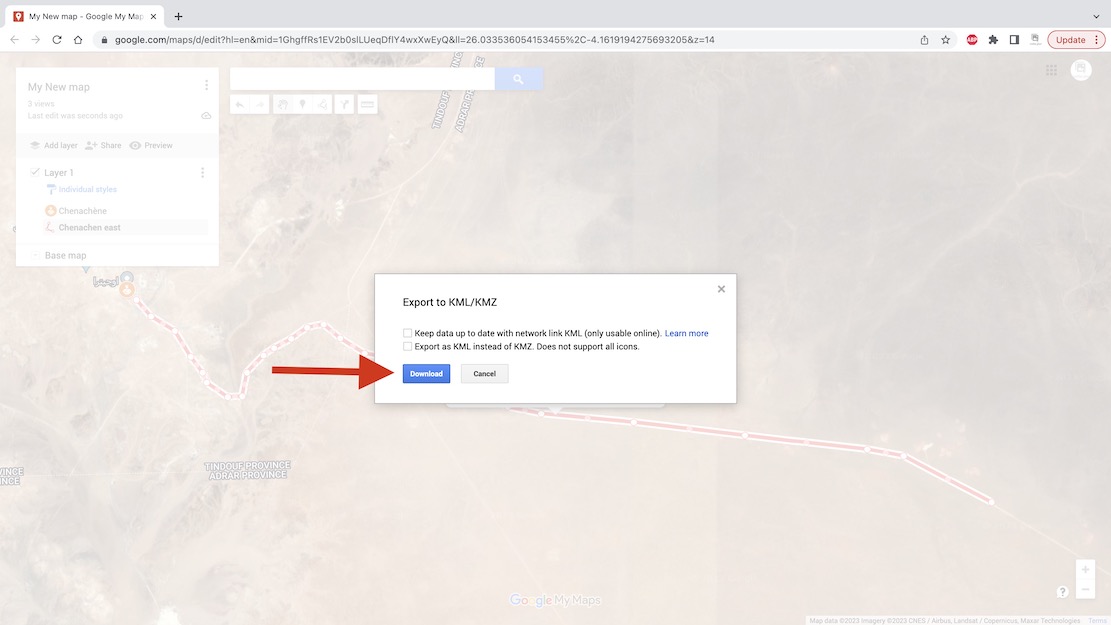
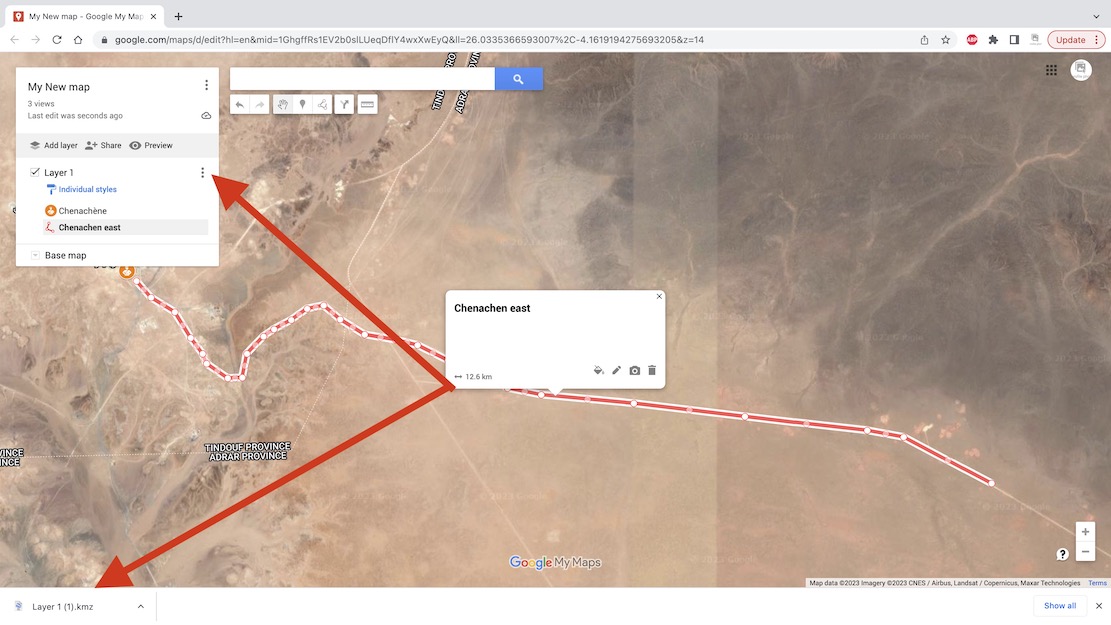
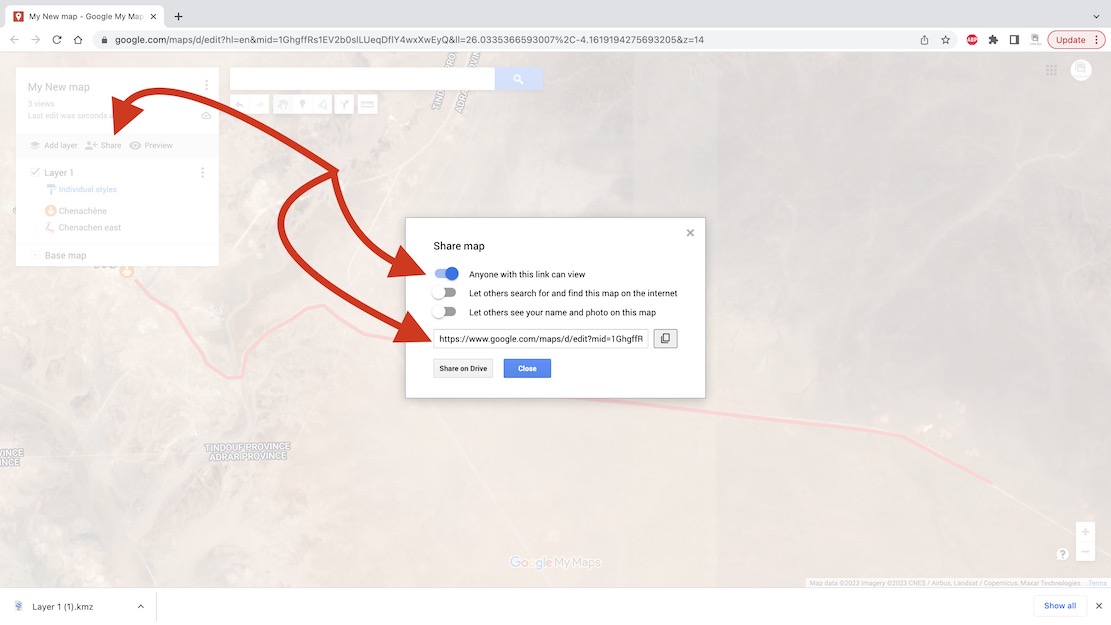
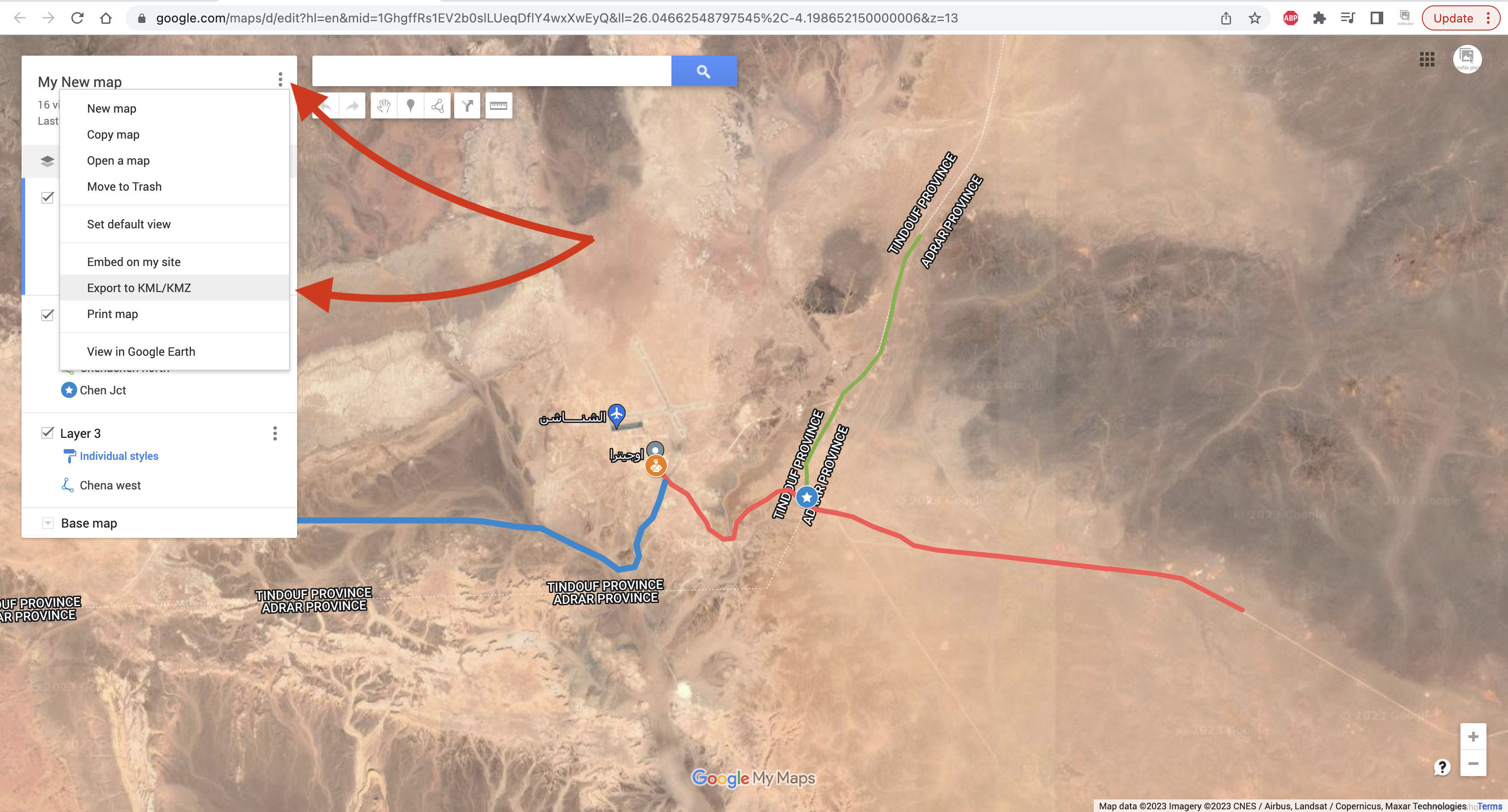
Then convert to .gpx as explained above and import into your nav device.
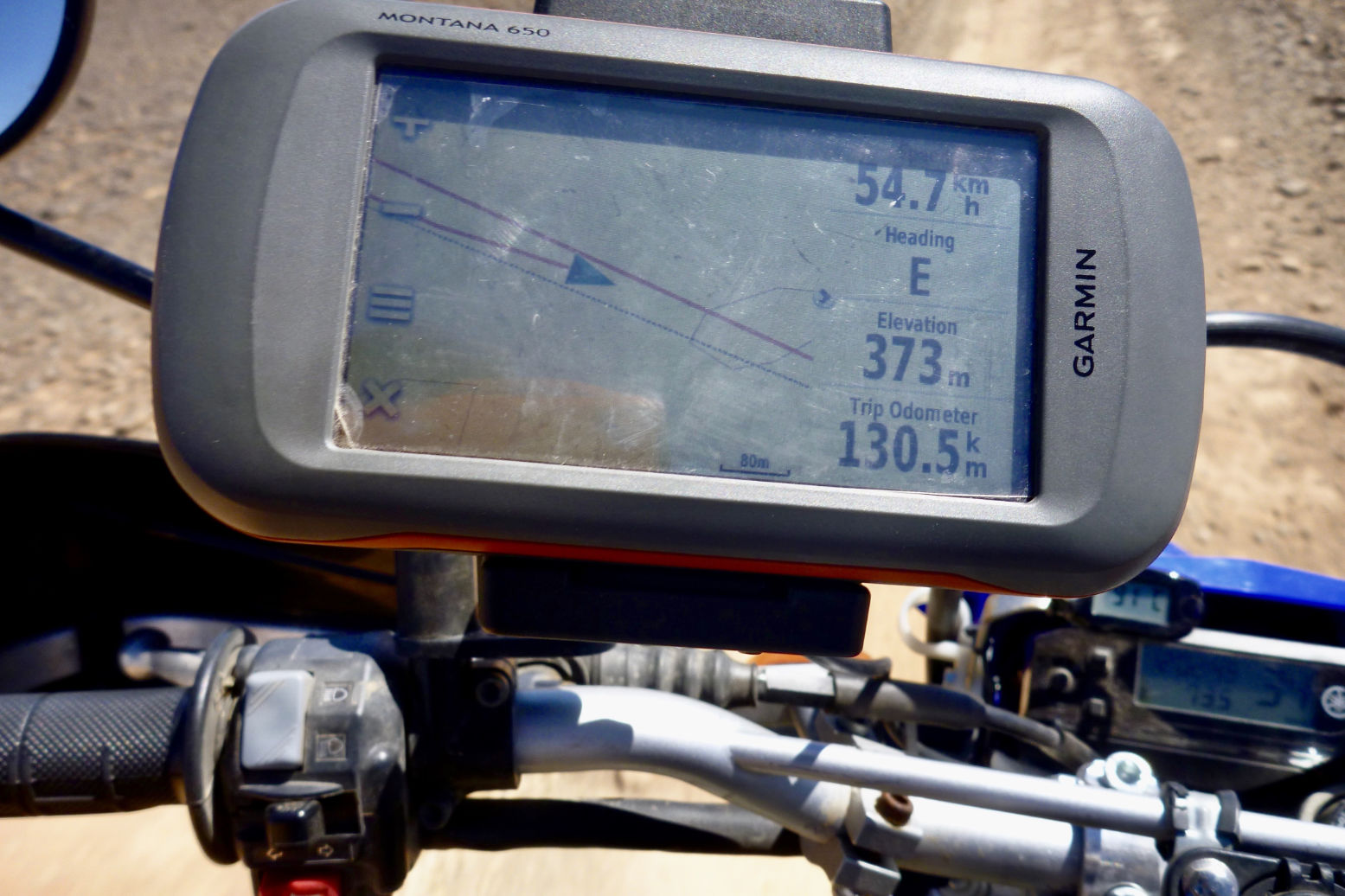
The second red line with an arrow is the ‘live’ or ‘true’ tracklog I am recording.
And the grey line below is the same unverified track as depicted on my digital map and which sort of eliminates the need for your own tracklog, assuming you trust the map. In some cases, not a good idea.
 Sahara Overland